AI film trailer: you don't cut it from the film, you make a new episode
Once the film is done, the first thing most people ask is: can it just cut me a trailer?
Nova has no button for that. A trailer isn't cut from your episodes. It's written as a new episode: you write a trailer script, then storyboard, render and combine it. This page follows the lessons in Nova Academy to show how to set one up, what it costs, and what to decide first.
1. Add an episode and write "trailer" on the first line
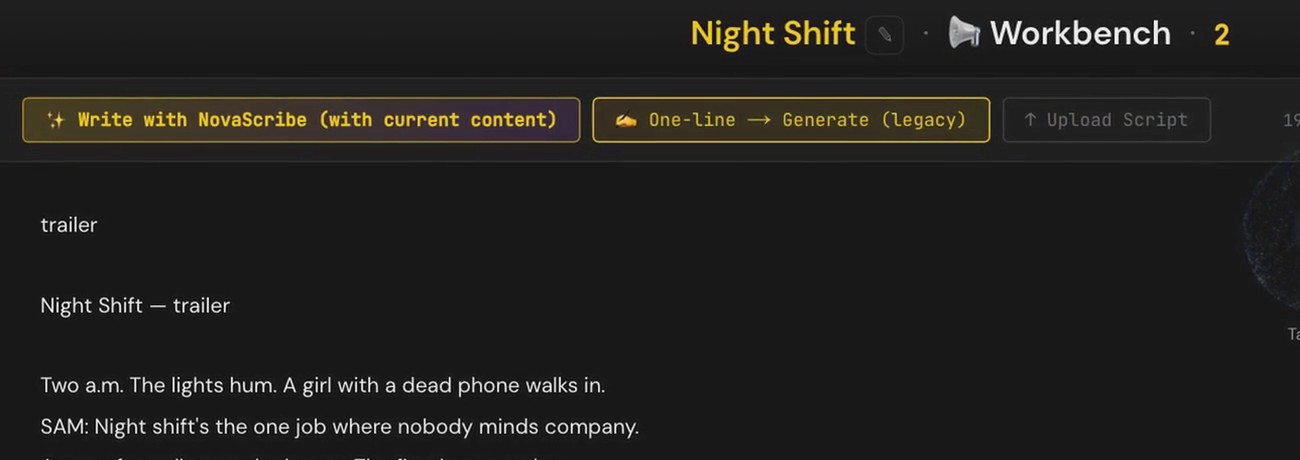
On the episode list, click Add Episode. It numbers itself. Open that episode's script workbench, where the box is empty, and write "trailer" on the first line, then the trailer script below it.
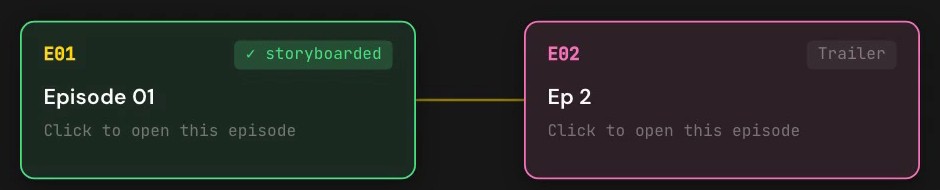
Back on the flow chart, that episode's card now carries a Trailer tag. The key still starts with E. It's only a tag, not a separate pipeline.
→ Lesson 05-04 "The trailer: there's no auto-cut — a trailer is a new episode". You finish with a 30-second trailer MP4.
2. After that it works like any episode: storyboard, render, combine
Once the trailer episode exists, the pipeline is the same as for any episode: storyboard, render, combine. It's priced the same way too.
The finishing steps are the same tools as well:
- Voice, subtitles, merge: with burned-in subtitles on, you export a version for platforms; with them off, you get a clean master plus a separate subtitle file. → Lesson 05-03 "Voiceovers, subtitles, merge: two versions means two exports"
- Intro and outro: make a cover image first, then turn it into the opening; you can also add a logo outro animation. → Lesson 05-05 "Intro and outro: cover 50, logo animation 220, same price on both lines"
- Production room and fine-cut editor: merge and export, and fine-cut in the browser. → Lessons 05-T2 "The production room: clips, seven material rows, the final merge" and 05-T3 "The fine-cut editor: cut in the browser, render on export"
These lessons don't cover trailers specifically. They cover the finishing steps every episode uses.
3. Film shots can't be pulled into the trailer
The fine-cut editor only loads this episode's clips. So shots you already rendered for the film can't be brought into the trailer: every trailer shot is rendered again and paid for again.
A trailer costs the same as an episode, based on length and quality tier. For example, 30 seconds at Pro 720p is 1,320 credits at today's prices; a different tier changes the price.
4. Lock the shots while you write
Every shot is actually rendered, so changing your mind after rendering means paying again. Decide the trailer's shots while you write the script, then render.
FAQ
Can Nova auto-cut a trailer from my film? No. There's no auto-cut button. A trailer is written as a new episode and rendered shot by shot.
How many credits does a trailer cost? The same as an episode, based on length and quality tier. For example, 30 seconds at Pro 720p is 1,320 credits at today's prices.
Can I reuse shots I already rendered for the film? No. The fine-cut editor only loads the current episode's clips, so every trailer shot is rendered again.
Where to start
- Just looking: sign up free, no card needed, and watch the free lessons.
- Trailers, intros and outros, and subtitles and merging are in Creator. Compare courses
- Walking through a whole short film from script to final cut: AI short film.