How to make an AI short drama, episode by episode
A short drama isn't one short film. It's many short episodes, each ending on a hook, with the same characters carrying the whole run. This page walks through how to make one, following the lessons in Nova Academy, and ends with interactive dramas where the viewer picks the ending. Every step has a lesson number. Lessons 04-01, 05-01 and 06-01 are free once you sign up.
1. Pick Short Drama in the writers' room and outline the episodes
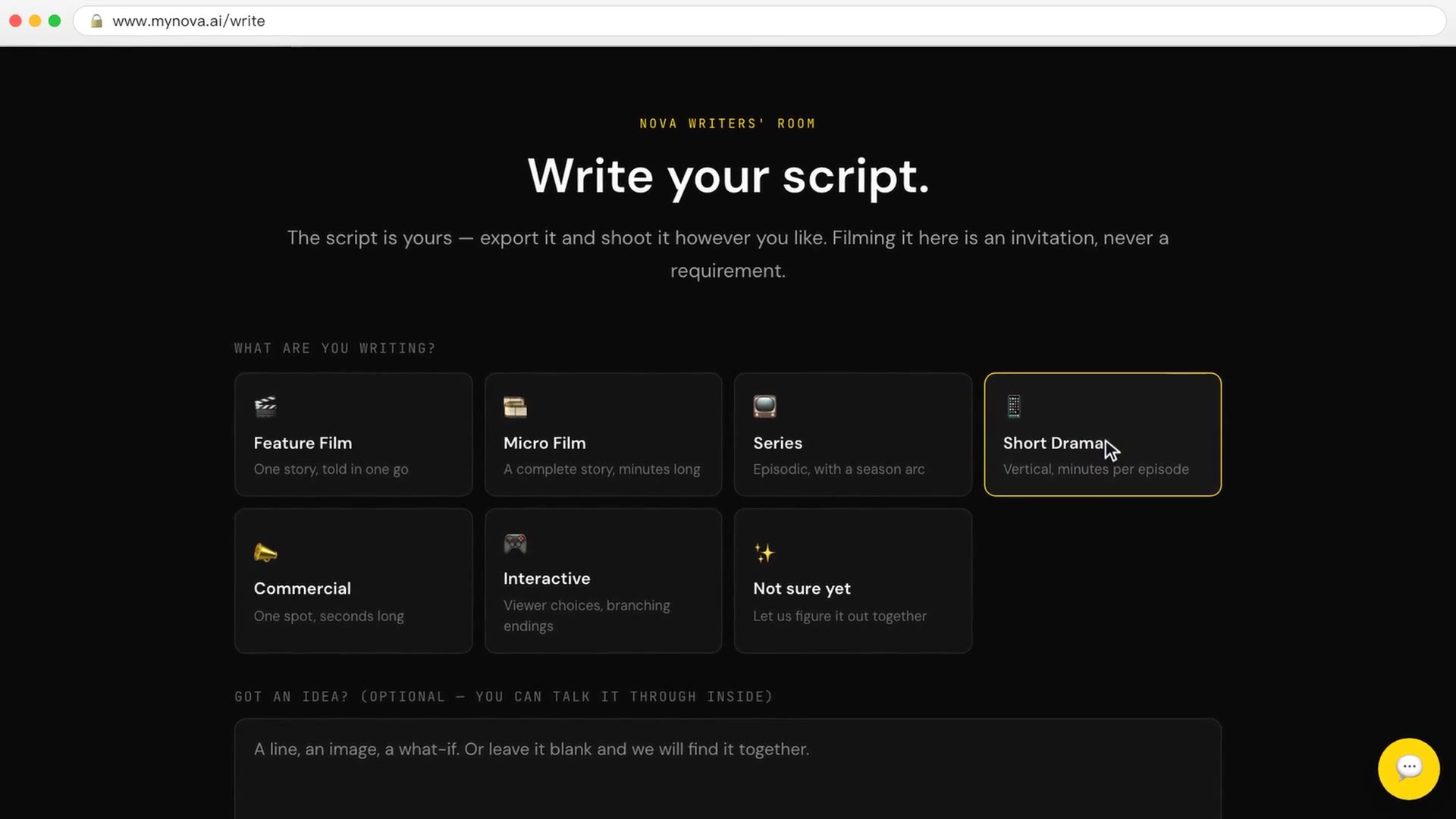
The writers' room starts by asking what you're writing: Feature Film, Micro Film, Series, Short Drama, Commercial, Interactive, or Not sure yet. Pick Short Drama, type one line, and the head writer drafts a series Bible, characters and an episode outline.
In the lesson's example, the outline runs to 90 episodes of 90 seconds each, and every episode ends on a hook. Once it's written, send it to the red team or the brain trust to find problems (no credits), then decide which episodes to cut or rewrite. You can export the script as Word, PDF, Fountain or Final Draft and shoot it anywhere you like.
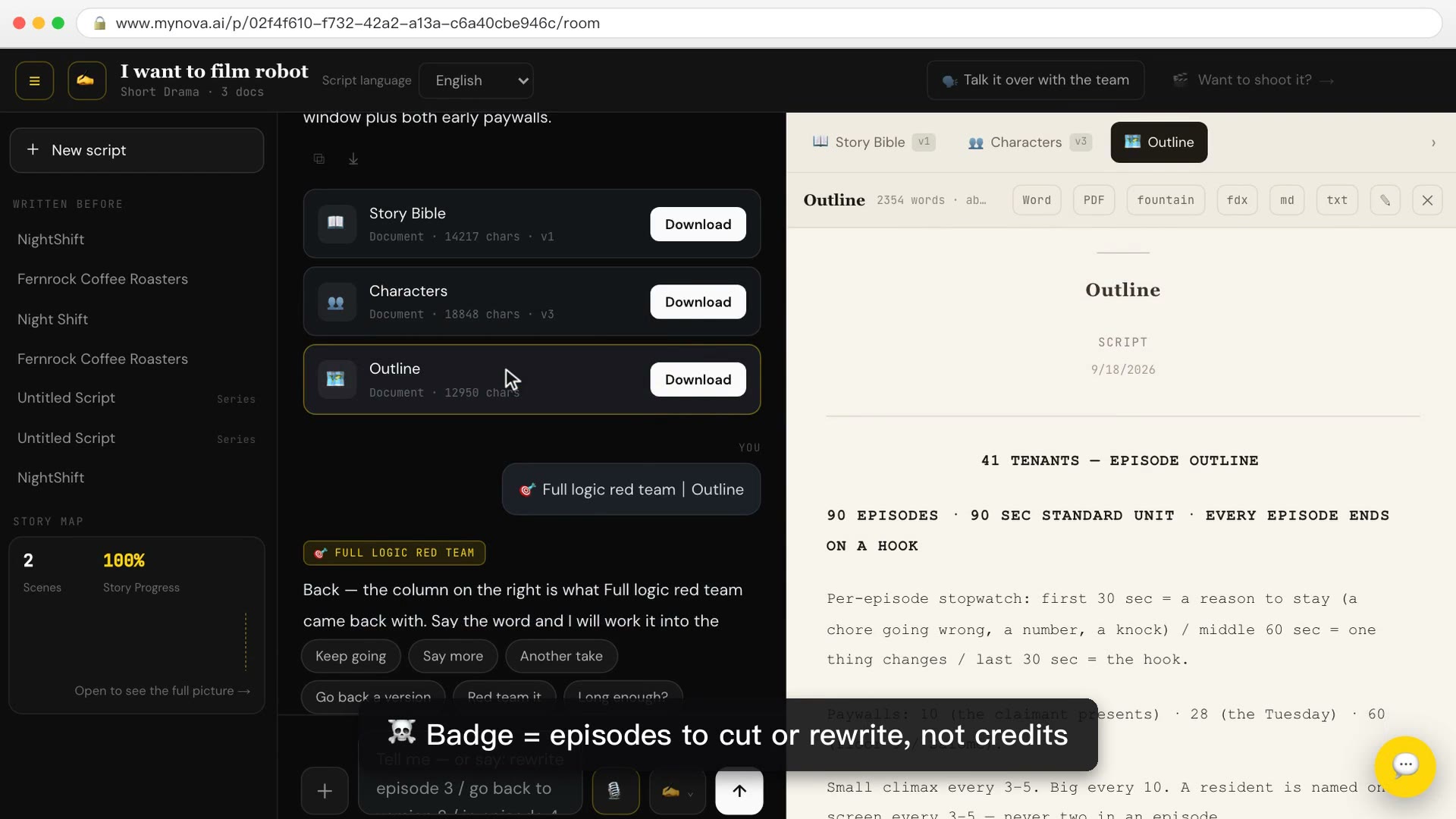
→ Lesson 04-01 "One line becomes a script — then tear it apart for free" (free). You finish with a complete 3-minute script, with its series Bible, characters and outline.
2. Lock the characters for the whole run
Short-drama viewers follow people. A character has to look the same in episode 1 and episode 30: same face, same outfit. In the lesson you make looks and headshots for each character and clear the red warnings before moving on.
→ Lesson 04-02 "Lock the characters: blue fills gaps, red starts over". You finish with 3 characters × 2 looks + 3 headshots, with every red warning cleared.
3. Storyboard each episode
Break each episode into shots and tag each shot with the characters and scene in it.
→ Lesson 04-03 "Storyboard and location plates: make every shot line up". You finish with a 36-shot storyboard for one episode, every shot @-tagged with the right characters and scene.
4. Produce episode by episode
With the storyboard locked, render the episode, QC it, then add voice and subtitles and merge. Once you have many episodes, the console shows where every episode stands on one screen.
- 05-01 "Batch render: the box that's ticked by default spends for you" (free): you finish with final video footage for a whole episode.
- 05-02 "Judge QC: flagging is free, following its advice costs"
- 05-03 "Voiceovers, subtitles, merge: two versions means two exports": you finish with a clean master MP4, a burned-in-subtitle version for platforms, and a separate SRT.
- 05-T1 "The console: the whole series on one screen, look don't run"
For the same pipeline used on a single short film, see how to make an AI short film.
5. Interactive drama: let the viewer choose the ending
An interactive drama is a tree: the viewer makes a choice at a node and the story branches toward different endings. In Nova an interactive drama starts as its own project: choose Interactive when you create a new project and drop in a script bundle, and it splits itself into a branching tree. No bundle yet? Open the sample interactive drama first. You add branches on a node, and you can playtest the whole tree to an ending before a single clip is rendered. Playtesting costs no credits.
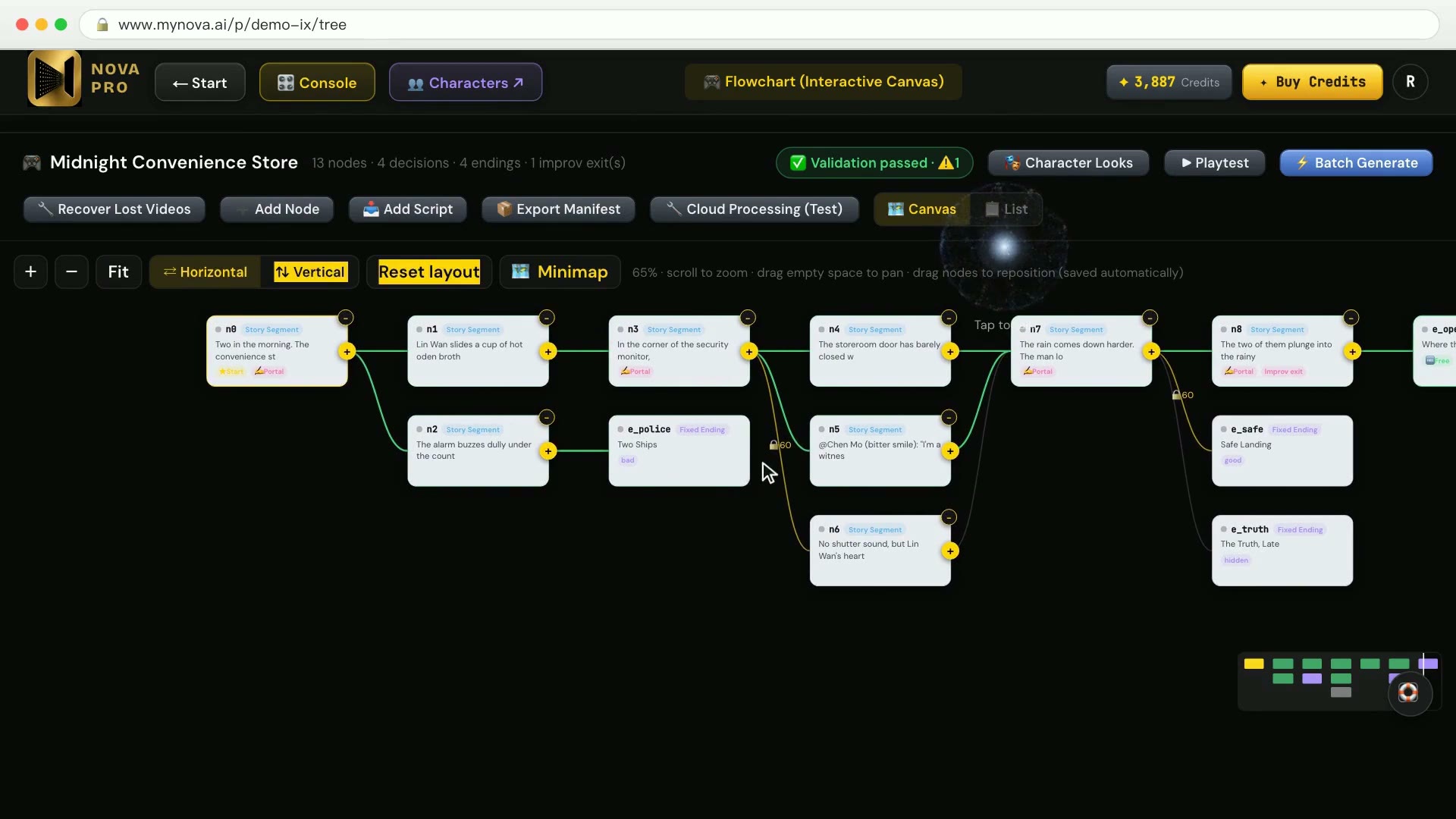
→ Lesson 06-01 "Building branches, and playtesting the tree" (free). You finish with a sample interactive-drama tree you have playtested end to end. The lesson also shows that the number after the lock on a node is the viewer price, not your credits.
How many credits does an interactive drama cost? Every node is a clip, so cost goes by the second: total node seconds × unit price, not branches × one episode. In the lesson, batch-rendering the whole tree at 1080p comes to about 1,620 credits a node and about 18,000 for the tree. That's why the lesson renders through the storyboard page one node at a time, at the quality you choose.
→ Lesson 06-02 "One node, one clip: don't press the expensive path — go through the storyboard page"
Can viewers type their own twist? Yes. A branch called the Any-Door lets the viewer type, and the story is improvised and rendered on the spot. One round is 0 credits for text and 864 for video, capped at three rounds (2,592), charged to the signed-in viewer's account.
→ Lesson 06-03 "The Any-Door: the branch where the viewer types — who pays"
Where to start
- Just looking: sign up free, no card needed. 04-01, 05-01 and 06-01 are among the 10 free lessons.
- Ready to make a short drama episode by episode: Creator covers steps 1–4. For interactive dramas, Studio adds Interactive on top of Creator. Compare courses