AI image generation tutorial: step by step, and know the cost first
Nova has a standalone Image Gen page for single images like avatars, posters, memes and product shots. This page walks through it in order, and shows where credits come in at each step.
1. Open Image Gen
Type mynova.ai/image into your browser's address bar. There's no button on the site that takes you there, so go straight to the address.
You can open the page and look around without signing in. You'll need to sign in when you click "Generate Images", because making images uses credits.
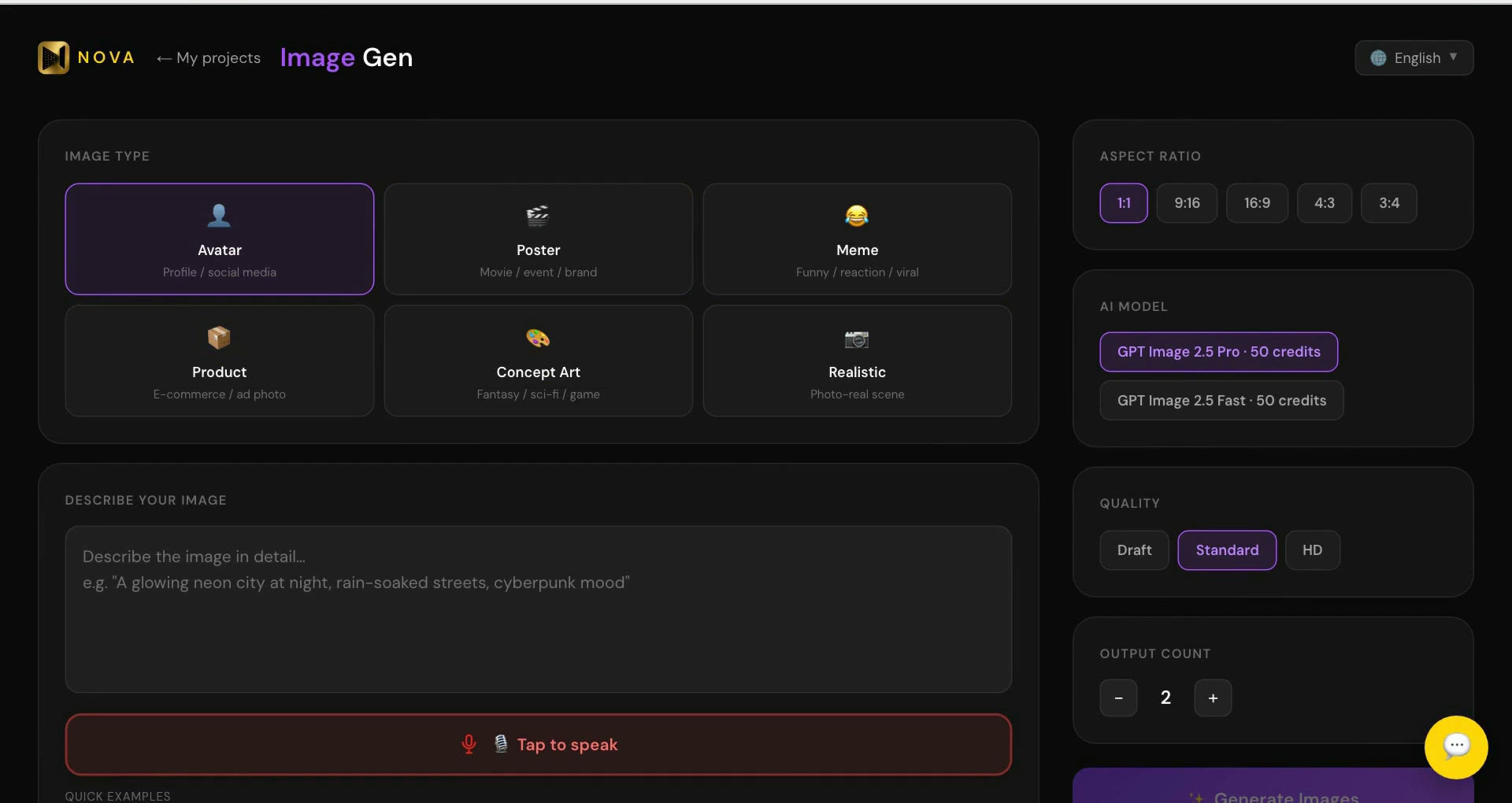
2. Pick an image type
"Image Type" has six options: Avatar, Poster, Meme, Product, Concept Art and Realistic.
Whichever you pick, Nova adds a matching style line to the end of your description. It doesn't switch models; it just fills in some style wording for you.
3. Describe your image
In "Describe Your Image", write what you want, and be specific: what's in the shot, the light, the mood. If you're stuck, click one of the "Quick examples" below the box and edit it.
4. Choose a model
"AI Model" has two options: "GPT Image 2.5 Pro · 50 credits" and "GPT Image 2.5 Fast · 50 credits". They cost the same, 50 credits an image.
5. Set the count and read the bottom line
"Output Count" starts at 2. Use − / + to set it anywhere from 1 to 4.
The small line under the button shows what this run will cost. By default it reads "GPT Image 2.5 Pro · 50 credits each · 100 credits total". As the lesson puts it:
> Want one picture? Set the count to one first, and watch the bottom line drop to fifty.
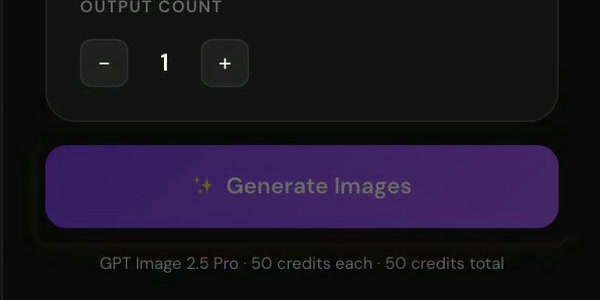
Each run costs count × 50. Check that line before you click and you'll know what you're spending.
6. Click "Generate Images"
Click "✨ Generate Images" and wait for it to finish.
- Your images are saved to your library automatically; the page shows "Saved to library". You'll find them later under "Asset Library" in the avatar menu.
- "Regenerate" and "Regenerate all" make the whole batch again and charge count × 50 again.
→ Lesson 07-01 "Two single tools: Image Gen and Video Gen — what each needs, and what it costs"
FAQ
How many credits is one image? 50. Pro and Fast cost the same. Each run costs output count × 50, and the line under the button shows the total.
I only wanted one image. Why did it take 100? The output count starts at 2. Set it to 1 before you click, and the bottom line will read "50 credits total".
Where do my images go? Into your library, automatically. Open "Asset Library" from the avatar menu.
Can I redo it? Yes, click "Regenerate". It remakes the whole batch and charges count × 50 again.
Where to start
- Just looking: sign up free, no card needed, and watch the free lessons.
- Lesson 07-01 is in the Extensions pack, included in Studio. Compare courses
- To turn images into a whole film, see AI filmmaking workflow; to keep a character looking the same in every shot, see consistent characters.